Creating New Vendor
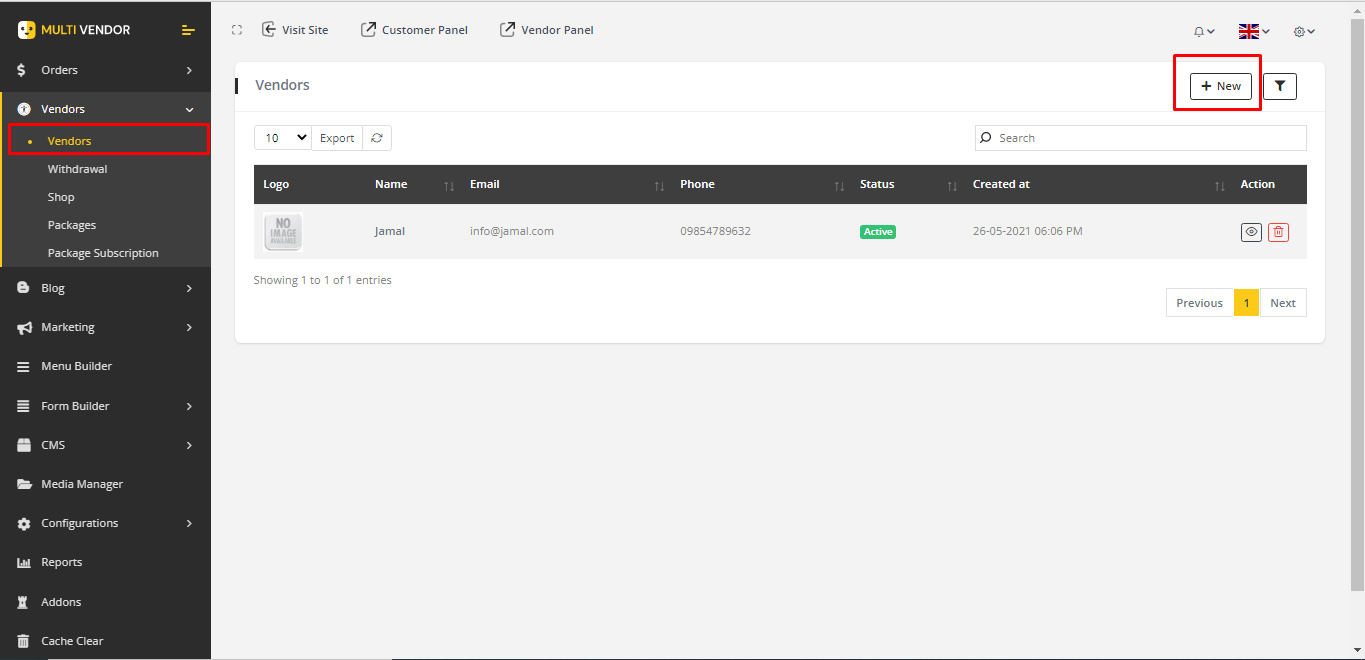
1. Go to Vendors->vendors from the sidebar. An existing vendor list will appear.
2. Click on NEW to add new vendor.
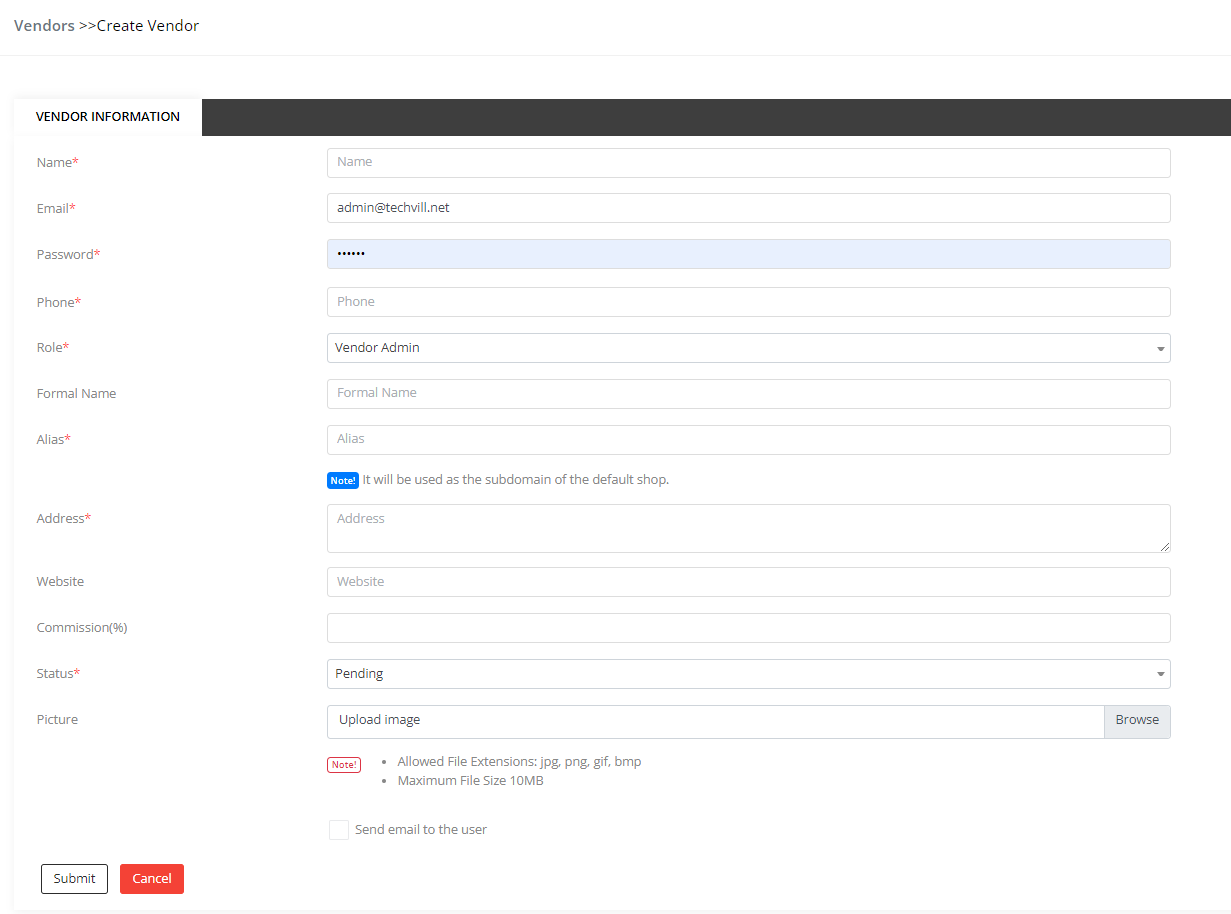
3. Fill the form and submit the form and it will create a new vendor.
4. Information can be edited and vendor can be deleted from the vendor list.

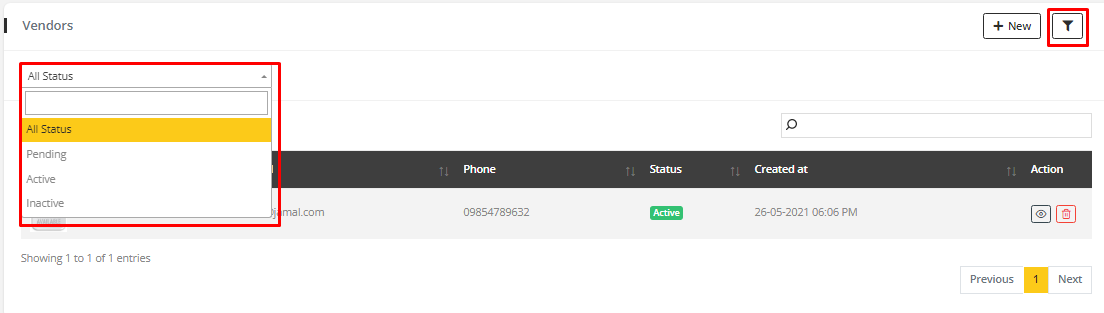
5. Clicking filter icon, status filter will appear by which vendor can be searched by their status.
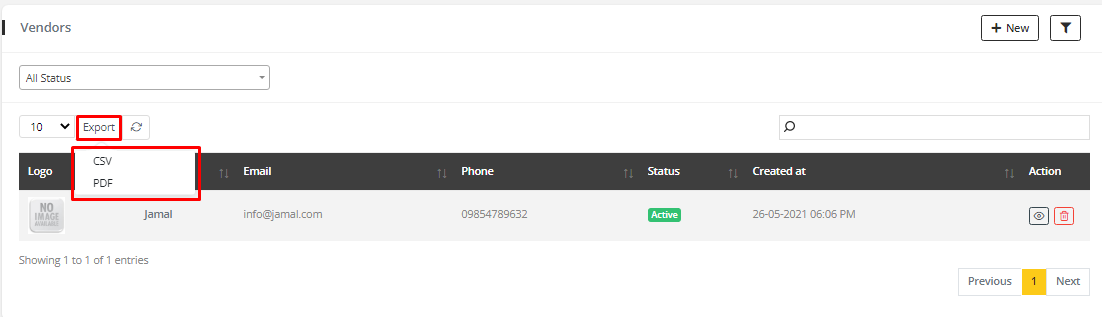
6. Vendor list can be exported in two ways. One as CSV file and another is PDF file
Note
- a default shop is creating with the vendor information.
- checking
Send email to the usercheckbox withpendingstatus will send a account verification email to the vendor. - checking
Send email to the usercheckbox withactivestatus will send a account activation email to the vendor. - no email will be sent to the vendor if
Send email to the useris not checked.